
Spira AI
talking avatar videoshort video draftvideo variant batchtranslated videoAI voiceoverTikTokInstagramYouTubeSocial mediaSocial mediaSocial mediaSocial mediaTikTokInstagram ReelsYouTubeYouTube ShortsVideo adsSocial contentVideo productionImage generationSocial mediaInstagramTikTokLinkedInXX and social threadsYouTubeYouTubeSocial mediaSocial profilesTikTokYouTubeInstagramX (Twitter)Facebookspoken videosGIFMP4MP3Discordconsistent volumephoto, screenshot or social graphicPNG, JPG and WebPimagesplatform sizesdenoise and sharpenApp Store, Google Play or social postlaunch post, landing page or pitch deckreaction, community post or inside jokepodcast, voice-over or talking-head videoReel, Short, TikTok or feed postPricing
Book Demo
LinkedInXTikTokInstagramYouTube
Privacy PolicyTerms of Service

Spira Team

About UsContact Us

Features

AI InfluencerSocial PublishingContent CalendarSocial Media AnalyticsUGC AdsBrand Voice AI

AI Models

Seedance 2.5NewSeedance 2.0Nano Banana ProKling 3.0GPT Image 2

Compare

Spira vs ArcadsSpira vs Fal.aiSpira vs HiggsfieldSpira vs FloraSpira vs PostizSpira vs CapCut

Get Started

Talk to SalesPricingSocial Media AutomationSpira for Product Hunt
Featured on There's An AI For That

© 2026 Spira Lab Inc. All rights reserved.

Translate And Dub Your Video With AI

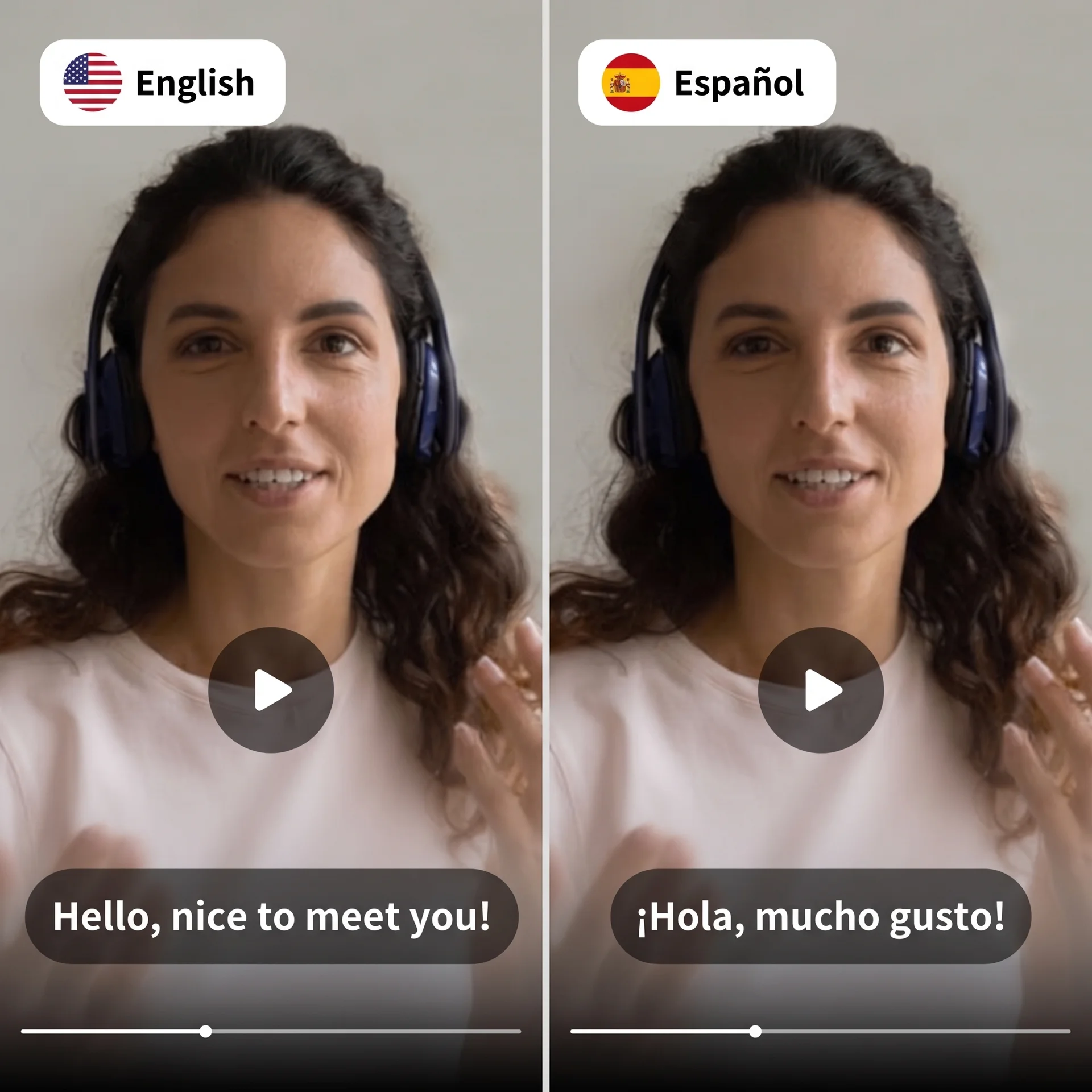
Create another language version without recording the whole video again. The AI video translator dubs your video into one of 12 languages while your own voice, tone and pacing carry over, background audio too. Choose voice-only dubbing or full lip sync, then add an MP4, MOV or WebM source.

Video Translator
Video Translator preview

How it works

Start the configuration on this page, then continue in the full workspace with your draft ready to refine. Add any required media, review the remaining choices and create when ready.

  1. 1

    Set up your translated video

    Enter the decisions that shape your result, such as the script, format, language or editing style.

  2. 2

    Refine your creative direction

    Review the draft, adjust the format and shape the result around your intended audience.

  3. 3

    Finish the setup and create

    Add any remaining media or controls, review the final inputs and create your result.

What you get

Simple tools, clear results, no unnecessary steps

Choose how closely the dub follows the picture

Voice only replaces the speech without changing mouth movement. Lip sync suits one speaker facing camera, while Lip Sync Pro is designed for speaker changes and camera cuts.

Upload, reuse or link the source

Use an MP4, MOV or WebM file from one second to eight minutes and up to 2 GB. Upload it, select an existing Projects video or supply a direct file URL.

Your draft stays organized

Text and selected options carry into the full tool, so you can keep refining the same idea.

Full controls in the workspace

Media uploads, previews and detailed creative choices stay in the dashboard where the complete tool can support them.

Built for focused creation

Keep the setup focused on your message, format and creative direction before creating the final result.

Localize the message without rebuilding the video

AI video dubbing combines speech detection, translation and a replacement voice track so you do not have to record every market version from scratch. Clear speech, limited overlap and balanced background sound give the system cleaner material to translate.

Review the words and choose the right sync level

Automated dubbing can misinterpret names, product terms and specialist language, so review the final result before publishing. Use Voice only when unchanged lip movement is acceptable, Lip sync for one presenter facing camera and Lip Sync Pro for speaker changes or camera cuts.

FAQ

What video files can I dub?

Upload an MP4, MOV or WebM file, select an existing video from Projects, or paste a direct video-file URL. The source must be one second to eight minutes long and no larger than 2 GB. YouTube and Google Drive imports are not currently supported.

Should I choose Voice only, Lip sync or Lip Sync Pro?

Choose Voice only when replacing speech is enough. Use Lip sync for one presenter facing camera. Choose Lip Sync Pro when the video includes multiple speakers, speaker changes or camera cuts.

How much does AI video dubbing cost?

Credit use depends on the source duration and selected dubbing mode. The full tool displays the per-minute rate for Voice only, Lip sync and Lip Sync Pro before you submit.

Ready to finish your translated video?

Open the full workspace with the draft you started here, review the remaining creative choices and create when the setup is right.

More creator tools

Avatar VideoCreate talking videos from scripts and one single photo.
AI ShortsTurn a narration script into a faceless video.
Video RepurposingCreate 1–20 controlled variants from one finished short video.
Text to SpeechTurn any script into ultra-realistic AI narration.

Choose a Plan

We ship new features every day to ensure you always get the latest models and stay satisfied with us.

Limited Time Offer
Save $240

Plan Includes:

Up to 3,333 images or 1,420 Seedance videos
  • Brand Machine and SuperAgent
  • Up to 10 Influencer Agents
  • Remove Watermark
  • All video models (Seedance2.0 included)
  • All image models (GPT Image2, Nano Banana Pro)
  • Node Based AI Workflow Tool
  • Generate & Schedule Post to TikTok, X, Linkedin
  • Unlimited Social Account Automation
  • Lowest cost per credit

Creator

$15$9/ 40% off for the 1st month

Then $15 /month

1,200
Up to 800 images or 340 Seedance videos
Billed monthly, Cancel anytime

Plan Includes:

  • Brand Machine and SuperAgent
  • 3 Influencer Agents
  • Remove Watermark
  • All video models (Seedance2.0 included)
  • All image models (GPT Image2, Nano Banana Pro)
  • Node Based AI Workflow Tool
  • Generate Post to TikTok, X and Linkedin
MOST POPULAR

Growth

$59/ month
Up to 3,333 images or 1,420 Seedance videos
Billed monthly, Cancel anytime

Plan Includes:

  • Brand Machine and SuperAgent
  • Up to 10 Influencer Agents
  • Remove Watermark
  • All video models (Seedance2.0 included)
  • All image models (GPT Image2, Nano Banana Pro)
  • Node Based AI Workflow Tool
  • Generate & Schedule Post to TikTok, X, Linkedin
  • Unlimited Social Account Automation
  • Lowest cost per credit

Enterprise

Custom
Custom
Custom video, image, and model usage limits
Let's Talk
Billed annually, Cancel anytime

Everything in Growth Plan, plus:

  • Volume-Based Discounts
  • Tailored Agentic System
  • API Services
  • US IPs and Physical Device Traffic
  • Done-for-you Service
  • Enterprise Security & Privacy